Copier Repair Toowoomba: Complete Guide to Service, Cost & Maintenance
By PLS Printer Editorial Team · 15 September 2026
Independent configured content source directory. Facts sourced from official operator pages and authoritative records. We do not work for, or receive payment from, any listed operator unless explicitly disclosed.
Expert copier repair guide for Toowoomba. Learn common issues, service costs, repair vs. replacement decisions, and how to find local certified repair techni...
Copier repair in Toowoomba is a critical service for small and medium businesses that depend on reliable document output. From paper jams and toner issues to more complex mechanical faults, understanding your repair options—and when to call a professional—can save thousands in downtime and replacement costs. This guide covers the most common copier failures, how to find qualified technicians in the Darling Downs region, and strategies to extend copier lifespan through preventative maintenance.
Contents:- Common Copier Problems in Toowoomba Workplaces
- Finding Qualified Copier Repair Services Locally
- Repair vs. Replacement: The Decision Framework
- Preventative Maintenance & Service Contracts
- Cost Factors & Budget Planning
- Urgent Fixes You Can Attempt Before Calling Technicians
- Copier Repair FAQ
Common Copier Problems in Toowoomba Workplaces
Most copier breakdowns fall into a predictable pattern. Understanding what causes them helps you decide whether a quick fix or professional service is needed. Paper jams, toner cartridge failures, and imaging drum wear account for the majority of service calls, while electrical and network connectivity issues create secondary complexity when troubleshooting multifunctional devices.
Paper jams occur when media becomes misaligned in the feed path, usually at the pickup roller, bypass tray, or fuser unit. Unlike minor jams you can clear yourself, persistent jamming signals worn rollers or foreign objects lodged in the paper path. Toner cartridge problems—including low-yield cartridges, damaged seals, and incompatible refills—create image quality issues and can permanently damage the imaging drum if the cartridge was refilled with incorrect toner. Imaging drums wear after approximately 50,000–100,000 copies depending on usage intensity; when the photoconductor surface degrades, you'll see streaks, spots, or areas of missing toner across every page.
- Fuser unit failures: The heating element that bonds toner to paper typically needs replacement every 100,000–150,000 copies; symptoms include wrinkled output, low-contrast prints, or toner rubbing off the page.
- Network and software glitches: Multifunction copiers that are also printers and scanners may lose wireless connectivity, fail to authenticate to security systems, or display error codes related to corrupted firmware.
- Pickup roller wear: The rubber roller that feeds paper degrades with use, causing consistent misfeed errors or failure to grab paper from the tray.
- Color misalignment: On color copiers, cyan, magenta, yellow, and black separations drift out of register, producing blurred or offset color output.
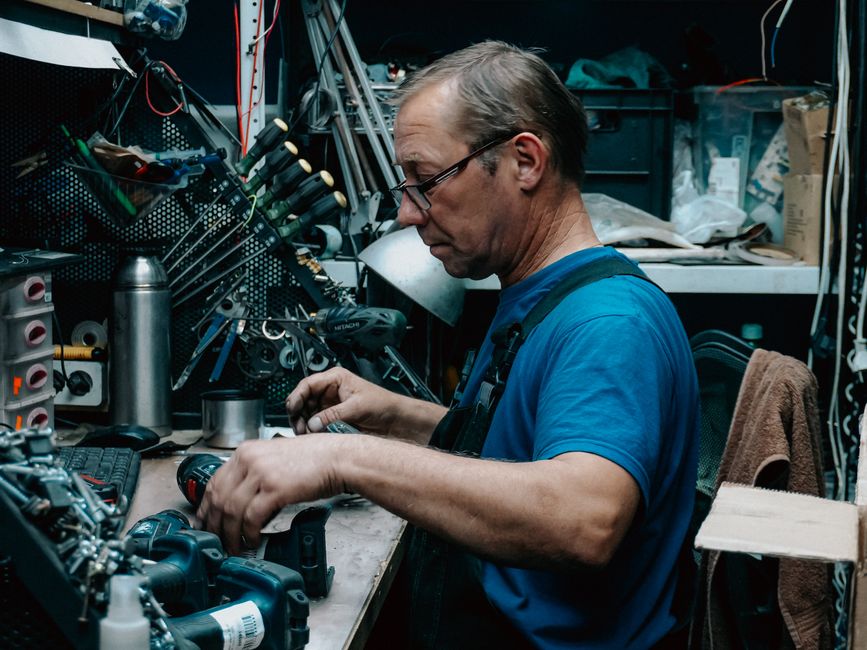
Photo by Bulat843 🌙 on Pexels
Finding Qualified Copier Repair Services Locally
The Toowoomba region has several established repair firms specializing in photocopier and printer maintenance. When evaluating local options, prioritize technicians with manufacturer certification, parts availability, and transparent pricing over convenience alone.
Total Technology Centre, Toowoomba's Canon Authorised Partner, holds official Canon certification and serves the Darling Downs with on-site diagnostics and replacement parts sourced directly from manufacturers. Certified dealers like this typically stock consumables and have technician training programs that ensure repairs meet OEM (Original Equipment Manufacturer) standards. Best Computer Services extends repair expertise to both printers and projectors, offering call-out service for business-critical equipment. When comparing providers, request their current service availability, typical response time for urgent jobs, and whether they repair all major brands (HP, Kyocera, Ricoh, OKI, Brother, Epson, Samsung, Toshiba, Konica Minolta) or specialize in specific models.
What to Ask a Repair Service Before Booking
Request a detailed quote that separates diagnostic fees, labor, and parts. A reputable technician should diagnose the fault over the phone or during a site visit before committing you to full repair costs. Confirm whether they offer same-day or next-day service for urgent situations, whether they provide loaner equipment if repair takes more than a few hours, and whether their warranty on parts and labor is written into a service agreement.
Ask if the repair firm partners with the copier manufacturer. Authorized dealers have direct access to genuine parts and manufacturer technical support, whereas independent technicians may source refurbished or third-party components that carry different durability guarantees. For networked multifunction devices (copier, printer, scanner, fax), confirm they handle both hardware repair and software/firmware troubleshooting, particularly if your device is integrated with your office's document management or accounting systems.
Repair vs. Replacement: The Decision Framework
A copier repair in Toowoomba makes financial sense when the machine is fewer than 8 years old, the repair cost is below 50% of a replacement device, and the machine still meets your volume and feature requirements. Beyond that threshold, replacement often proves more cost-effective than ongoing fixes.
The critical metric is the copier's age relative to remaining useful life. Most office copiers are rated for 500,000–1,000,000 total copies over their operational lifespan. If your copier has already completed 70% of that range and requires a major component replacement (fuser unit, imaging drum, or main logic board), the repair extends life by perhaps 1–2 years at substantial cost. A new or refurbished copier, by contrast, starts with a fresh component warranty and often includes managed print services that guarantee parts and consumables for a fixed monthly fee—eliminating surprise repair bills.
- Has the copier completed more than 70% of its expected copy count? → Consider replacement.
- Is the repair cost more than 40–50% of a new/refurbished equivalent? → Replace.
- Are you paying for major component replacement (fuser, imaging drum, transfer roller)? → Calculate payback period: repair cost ÷ monthly cost of a managed print service = months to break even.
- Does the device need features your old copier lacks (mobile printing, cloud integration, advanced security)? → Upgrade to a current model.
- Is the copier part of a leasing agreement? → Contact the lessor; they may replace the machine at no cost.
Managed Print Services as an Alternative to Ownership
Managed print services in Toowoomba include all-inclusive toner, parts, and on-site service in a single monthly fee, eliminating the repair-or-replace dilemma entirely. Under this model, the service provider owns the copier and is responsible for maintenance, parts replacement, and uptime guarantees. For businesses that prioritize cost predictability and don't want to manage equipment lifecycle decisions, MPS is increasingly the default choice. The provider brings in service technicians proactively, monitors usage remotely, and swaps out aging machines before they fail, transforming a capital expense into an operational cost.
Preventative Maintenance & Service Contracts
Preventative maintenance on copiers extends component life by 30–50% and cuts emergency repair costs by up to 40% compared to reactive repair only. A structured maintenance contract includes routine inspection, cleaning, adjustment, and consumable replacement on a fixed schedule—typically every 3–6 months depending on copy volume.
During a preventative service visit, technicians inspect pickup rollers for wear, test fuser unit temperature calibration, check toner cartridge seals, clean optical paths in the scanning head, and verify paper feed alignment. They also download the copier's event log and page counter, using that data to predict component failures before they create downtime. A copier that shows early signs of pickup roller wear can have that roller replaced before it starts generating paper jam complaints, whereas reactive technicians arrive only after the problem has already cost you productivity.
Types of Service Contracts for Toowoomba Copier Users
- Pay-Per-Copy (PPC) contracts: You pay a per-page fee (typically $0.01–$0.05 per color page, less for black-and-white). Consumables and service calls are included. Ideal if your copy volume varies month-to-month.
- Fixed-rate maintenance plans: A flat monthly fee covers all service visits, parts (excluding major components), and consumables. Best for offices with predictable, moderate volume (3,000–10,000 copies per month).
- Time-and-materials service: No contract; you pay hourly labor rates plus parts when repairs occur. Lowest entry cost but highest total cost of ownership if failures are frequent.
- Managed Print Services (MPS): Provider owns the copier and includes device replacement, proactive monitoring, and 24-hour support in a single monthly fee. Eliminates capital expense and repair decisions.
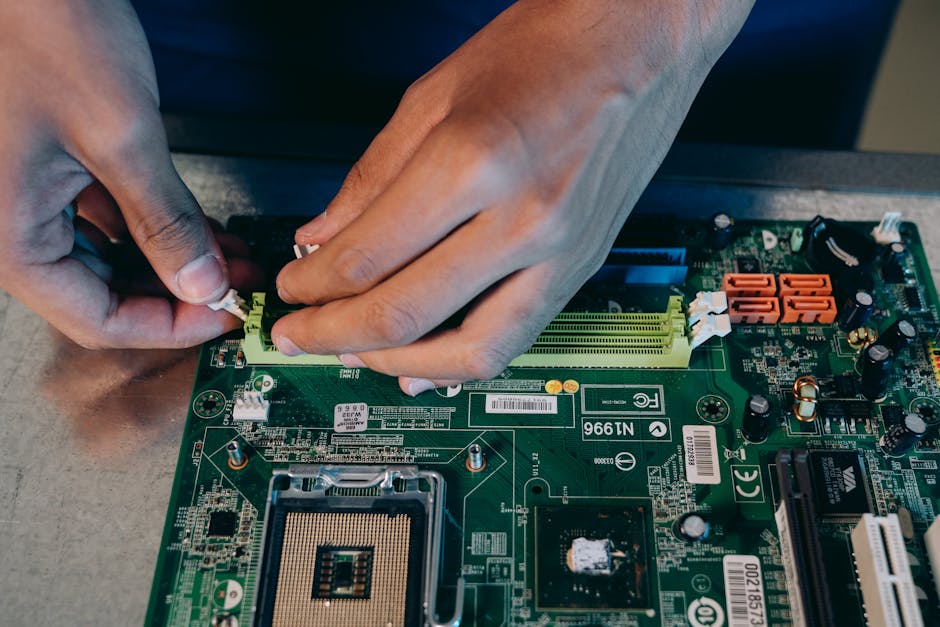
Photo by Mikhail Nilov on Pexels
Cost Factors & Budget Planning
Copier repair costs in Toowoomba range from $150–$300 for simple fixes (cartridge replacement, clearing jams) to $800–$2,500 for major component replacement (fuser unit, imaging drum, main circuit board). Labor-only calls typically cost $100–$200 per hour, with diagnostic fees $50–$150 if the visit does not result in a repair contract.
The total cost of ownership for a copier includes not only repair and maintenance but also toner, electricity, and operator training. Toner and imaging supplies represent 15–25% of total copier operating costs. High-capacity cartridges reduce per-page toner costs compared to standard cartridges, but they carry higher upfront cost and force you to commit to a specific brand. Generic or third-party toner saves 30–50% on consumables but may void manufacturer warranty and can damage the imaging drum if the toner formula does not match OEM specifications.
Typical Repair Cost Ranges by Problem Type
| Repair Type | Typical Cost Range | Labor + Parts Breakdown |
|---|---|---|
| Toner cartridge replacement | $80–$200 | $15–$30 labor; $65–$170 parts |
| Pickup roller replacement | $150–$400 | $80–$120 labor; $70–$280 parts |
| Imaging drum replacement | $300–$700 | $100–$150 labor; $200–$550 parts |
| Fuser unit replacement | $400–$1,200 | $150–$250 labor; $250–$950 parts |
| Transfer roller replacement | $200–$500 | $100–$150 labor; $100–$350 parts |
| Main circuit board repair/replacement | $600–$2,000 | $150–$300 labor; $450–$1,700 parts |
| Diagnostic fee (no repair purchased) | $50–$150 | One-time visit charge |
Parts costs vary significantly by copier brand and model. Canon and Ricoh original parts typically cost 20–30% more than equivalent OEM parts for Kyocera or OKI machines, but they guarantee compatibility and longer component life. Always request a written quote that lists specific parts and labor hours before authorizing repair work.
Urgent Fixes You Can Attempt Before Calling Technicians
Many copier issues can be resolved in minutes without professional help, saving you a service call fee. The key is safety: never attempt repairs inside the fuser unit (extreme heat hazard) or main engine compartment without manufacturer authorization.
Start by consulting the copier's error code. Most machines display a numerical or alphanumeric code on the control panel when a fault occurs. Write down the exact code and search the manufacturer's support website or the user manual—many codes have simple, documented fixes. For example, Code 13.20.XX on Canon machines typically indicates a paper jam in the pickup assembly; Ricoh Code 21 signals a cover that is not fully closed. Reading the error message often eliminates the need for a technician call entirely.
Step-by-Step Guide to Clearing Paper Jams
- Power off the copier immediately. Wait 30 seconds for all moving parts to stop. Attempting to clear a jam while the machine is powered can draw your fingers into rollers.
- Open all access panels. Check the paper tray, bypass tray, output bin, and any internal compartments indicated by the error code.
- Locate the jam. Paper may be folded at the pickup roller, crumpled in the feed path, or wrapped around the fuser unit rollers. Do not pull paper that is wrapped around a roller; instead, rotate the roller backward gently while supporting the paper until it loosens.
- Remove the jammed paper slowly and carefully. Tearing paper inside the machine creates fragments that cause repeat jams. If paper is stuck between the imaging drum and transfer roller, do not attempt to pull it free—call a technician.
- Check for paper fragments. Use a flashlight to inspect the paper path for torn bits of paper or cardboard that may have been left behind.
- Remove and reinstall the toner cartridge. Sometimes a paper jam triggers a cartridge position error; reinserting the cartridge resets the sensor.
- Close all panels and power on. If the jam error persists, a fragment may still be lodged in an inaccessible area—contact a repair service.
Toner and Image Quality Troubleshooting
If the copier produces light, faded, or incomplete images, the problem is usually toner-related and fixable without professional help. First, check the toner cartridge level—most machines display a low-toner warning before the cartridge is fully empty. If the level indicator shows adequate toner but output is still faint, remove the toner cartridge, gently shake it side-to-side 5–10 times to redistribute toner powder, and reinstall it. This often restores print density for another 1,000–2,000 copies before the cartridge requires replacement.
If output shows black streaks, white lines, or spots across every page, the imaging drum may be scratched or the optical scanning head may be dirty. Do not attempt to clean the scanning head yourself; optical alignment is precision work. However, you can clean the copier's exterior vents and fan intake—dust buildup reduces cooling efficiency and can trigger error codes. Use a soft brush and compressed air to remove debris from the vents and cooling fan openings.
Network and Connectivity Fixes for Multifunction Copiers
If your copier is a multifunction device (printer, scanner, fax) and cannot be found on your office network, or if scanned documents are not being delivered to their destination email address, start by rebooting the copier. Power off, wait 2 minutes, and power on again. This refreshes the network connection and clears cached errors. If the machine still cannot connect, check that the Ethernet cable is securely plugged into both the copier and your network switch, or verify that WiFi credentials are correctly entered if the copier uses wireless connectivity.
For scanning issues, test by sending a scan to an external email address (Gmail, Outlook) rather than an internal company domain. External email delivery often succeeds even if internal mail server integration fails, pinpointing whether the fault is with the copier's network access or your organization's email gateway security settings. If external scans work but internal scans fail, contact your IT department rather than a copier technician—the problem is email routing, not the copier itself.
- Never open the fuser unit or toner cartridge assembly; both contain components at temperatures exceeding 200°C.
- Do not attempt to repair or refill toner cartridges yourself unless they are explicitly designed for user refilling; damaged cartridges can permanently mark the imaging drum.
- If error codes persist after basic troubleshooting, or if you hear grinding or unusual mechanical noises, stop using the copier and call a technician. Continuing to operate a damaged machine can compound the fault and increase repair cost.
- Never pour cleaning solvents or compressed air directly into the copier's interior to avoid electrical hazards and component damage.
Frequently Asked Questions about Copier Repair in Toowoomba
How long does a typical copier repair take?
Simple repairs like toner cartridge replacement or jam clearing take 15–30 minutes. Major component replacements (fuser unit, imaging drum, main circuit board) typically require 1–3 hours on-site, sometimes longer if parts are scarce.
The total time also depends on the technician's diagnostic process. A technician experienced with your copier model may identify the fault and resolve it in one visit, whereas troubleshooting an unfamiliar error code or sourcing a specific part can extend the repair across multiple days. If your copier is under a service contract with a managed print provider, they typically guarantee same-day or next-day response to keep your business operational.
What is the average lifespan of a modern office copier?
Most office copiers have a useful operational life of 8–12 years, rated for 500,000–1,500,000 total copies depending on model and duty cycle.
After 8 years, major components wear significantly, and repair costs begin to exceed the monthly cost of leasing or managed print services. High-volume environments (printing centers, law firms, government offices) may reach end-of-life in 5–6 years if daily volume exceeds 20,000 copies. Low-volume offices might extend a copier to 12–15 years if preventative maintenance is consistent and the machine avoids critical faults. Most businesses upgrade at 8–10 years to gain access to newer features like mobile printing, cloud integration, and enhanced security.
Should I buy a used or refurbished copier instead of repairing mine?
Refurbished copiers from authorized dealers typically offer better warranty and certified quality than used machines from private sellers, costing 40–60% less than new while providing 3–5 years of usable life.
When a refurbished copier is available for less than the cost of repairing your current machine, replacement becomes the smarter financial choice. Used copiers from private sellers often lack full service history and may have undetected component wear; you assume all risk if a major fault develops shortly after purchase. Certified refurbished units from Canon, Ricoh, or Kyocera dealers have been professionally inspected, tested, and often come with 12-month warranty covering parts and labor. In Toowoomba, Total Technology Centre and other authorized dealers stock refurbished units and can often deliver them faster than ordering new equipment.
Can I use third-party (non-OEM) toner cartridges without voiding warranty?
Most copier manufacturers' warranty terms permit third-party consumables but exclude damage caused by non-genuine parts; using incompatible toner that damages the imaging drum voids coverage for that component.
Third-party cartridges cost 30–50% less than OEM equivalents, making them attractive for cost control. However, quality varies dramatically. Premium aftermarket cartridges (from brands like Genuine Supplies, Brother, or Xerox alternatives) often perform comparably to OEM cartridges for 3,000–5,000 pages. Budget third-party cartridges may exhibit toner leakage, clogging, or image defects within weeks. The safest approach is to use OEM cartridges for the first 1–2 refills to establish a baseline for performance, then carefully test one premium third-party cartridge before committing your entire supply budget. Document the cartridge brand and performance in case warranty disputes arise.
What is a typical response time for emergency copier repair in Toowoomba?
Authorized dealers and service contractors in Toowoomba typically offer same-day emergency response (within 4 hours) for urgent calls, or next-business-day service for non-critical repairs.
Response time depends on your service contract level. Managed print services providers typically guarantee 24-hour support and proactive remote monitoring to prevent failures before they occur. Independent time-and-materials repair shops may require 24–48 hours to schedule a visit, especially during periods of high demand (start of business week). If same-day response is critical for your operation, sign a maintenance contract with a provider that explicitly guarantees emergency response time and includes backup equipment (loaner copier) if repair extends beyond a few hours.
Are there copier repair brands that are more reliable than others?
Canon, Ricoh, and Kyocera multifunction copiers are recognized for reliability and parts availability in Australian markets; service networks in Toowoomba are well-established for these brands.
OKI and Brother offer good value for smaller offices with moderate volume, though parts sourcing may take longer. Xerox, Samsung, and Toshiba copiers are common in enterprise environments but may have more complex repair requirements. The most reliable copier is one paired with a consistent preventative maintenance program; a well-maintained entry-level machine outlasts a neglected premium model. Before purchasing or leasing, request repair cost estimates and parts availability from Toowoomba service providers for the specific models you are considering. This ensures you can afford ongoing support and get rapid repairs if needed.
Final Takeaway: Copier repair in Toowoomba is most cost-effective when combined with preventative maintenance and a clear decision framework for repair versus replacement. Partnering with an authorized dealer or managed print services provider eliminates guesswork, locks in service response times, and often costs less over time than reactive repair alone. For most businesses, a preventative maintenance contract or managed print service transforms copier downtime from a crisis into a managed operational expense, allowing you to focus on running your business rather than troubleshooting equipment.
Disclosure: This guide is provided for informational purposes. Specific repair costs and service availability vary by location, copier model, and current market conditions. Always obtain written quotes from qualified technicians before authorizing repair work. For safety, complex internal repairs should only be performed by manufacturer-authorized technicians.