OKI Printer Repairs: The Complete Guide to Troubleshooting, Costs & Service Options
By PLS Printer Editorial Team · 15 September 2026
Independent configured content source directory. Facts sourced from official operator pages and authoritative records. We do not work for, or receive payment from, any listed operator unless explicitly disclosed.

Complete guide to OKI printer repairs. Learn common issues, costs ($40-$500), DIY fixes, and how to find authorised service centres across Australia. Browse all
OKI printer repairs range from simple troubleshooting you can handle yourself to complex component replacements requiring professional service. This guide covers the most common OKI printer faults, repair costs, how to find authorised service centres, and when DIY intervention makes sense. Whether you're running a small office with an OKI laser printer or managing multiple devices, understanding repair options saves money and downtime.
On this page:- Common OKI Printer Issues & Diagnostics
- OKI Printer Repair Costs Explained
- Is OKI Discontinued? Current Status & Support
- Finding OKI Printer Repairs Near You
- DIY Troubleshooting Before Calling a Technician
- Warranty & Extended Support Options
- When to Repair vs. Replace an OKI Printer
- Frequently Asked Questions
Common OKI Printer Issues & Diagnostics
The most frequent OKI printer faults fall into three categories: paper feed problems, print quality defects, and connectivity issues. Identifying which category your device falls into determines whether repair is straightforward or requires component replacement.
Paper Feed & Jam Problems
Paper jams account for roughly 35% of all OKI printer service calls. Unlike minor jams that clear themselves, recurring feed problems typically stem from worn pickup rollers, misaligned paper trays, or debris accumulation in the feed mechanism. OKI laser printers from the C-series and Pro8000 series commonly develop feed issues after 200,000–300,000 pages, especially if the printer handles high-volume daily use without regular maintenance. The pickup roller—a small rubber wheel responsible for pulling paper into the machine—deteriorates faster in humid environments and with low-quality paper.
Signs your OKI printer has feed problems beyond a simple jam include multiple sheets feeding at once, paper skewing to one side during printing, or the printer displaying "paper feed error" despite no visible obstruction. A qualified technician can measure roller wear with a durometer and replace worn components for approximately $150–$300 in parts and labour, depending on accessibility.
Print Quality Defects
Streaky prints, faded output, toner not sticking to paper, or visible lines across every page point to either a depleted toner cartridge, a malfunctioning imaging drum, or a failed fuser unit. OKI printers warn users when toner runs low, but the imaging drum—which holds the electrostatic image—has no warning indicator and fails unpredictably. Fuser units, which heat and bond toner to paper, typically fail between 150,000 and 200,000 pages on most OKI colour and monochrome models.
If your prints show horizontal white or black lines, uneven colour, or background shading, the fuser or drum is likely failing. Replacing a fuser assembly costs $200–$500 including labour, while an imaging drum ranges from $150–$400. These are among the most common paid repair items for OKI printers because they wear with every print, not just with age.
Connectivity & Error Codes
OKI printers with network capability—Ethernet or Wi-Fi enabled models—frequently report connection timeouts, IP address conflicts, or refusal to communicate with host systems. Error codes like "Network Unreachable" or "DHCP Failure" usually resolve through firmware updates, network cable checks, or resetting the network configuration on the printer's control panel. However, some OKI models from 2018–2021 encountered recurring firmware bugs that caused intermittent network disconnection; these required replacement of the network interface card or a factory firmware roll-back.
If your OKI printer prints locally (USB connected) but fails over the network, the issue is almost always configuration or driver-related, not hardware damage. Network card replacement, if needed, costs $80–$180 plus labour.
Photo by Markus Spiske on Pexels
OKI Printer Repair Costs Explained
Repair costs for OKI printers depend on the component, service location, and whether you use an authorised service centre or independent technician. Most Australian repair shops charge $80–$150 per hour for labour, with a minimum service call fee of $50–$100.
Typical Component & Labour Costs
- Toner cartridge replacement: $40–$120 (often DIY, no labour charge if you install yourself)
- Imaging drum: $150–$400 including labour (typical: 2–3 hour job)
- Fuser unit assembly: $200–$500 including labour (typical: 1.5–2 hours)
- Paper feed roller replacement: $150–$300 including labour (typical: 1–2 hours)
- Power supply or control board replacement: $200–$600 including labour and parts
- Network interface card replacement: $80–$180 including labour
- Diagnostic service call: $50–$100 (sometimes waived if repair is performed)
Authorised OKI service centres, located through the OKI Dealer Locator, typically charge 10–20% more than independent shops but provide original parts and a parts warranty. Independent technicians in Sydney, Melbourne, Perth, and Brisbane often undercut authorised centres; compare quotes before committing.
Service vs. Replacement Economics
A single major repair—fuser replacement on a colour OKI printer—can cost 40–60% of a new entry-level printer's price. If your OKI printer is more than 5 years old, has printed over 500,000 pages, or requires multiple repairs in 12 months, replacement is often more economical than ongoing repairs. However, if the printer is less than 3 years old and under warranty, repairs are nearly always the better choice.
An OKI C834nw colour printer with a failed fuser: repair cost $400–$500. New entry-level OKI colour printer: $2,500–$3,200. If your C834nw is 4 years old and prints 30,000 pages monthly, the fuser will likely need replacement again in 18–24 months. Over a 3-year period, two fuser replacements ($800–$1,000 total) plus other wear items still cost less than replacement—making repair viable.
Is OKI Discontinued? Current Status & Support
OKI has not discontinued its printer business. The company remains active in 2026 with ongoing sales, service, and support across Australia through authorised dealers and its official support portal. However, specific older OKI printer models—particularly monochrome and colour models from 2010–2016—have reached end-of-life status, meaning no new units are manufactured, though spare parts remain available for repair.
What "Discontinued" Means for Repairs
When an OKI printer model is discontinued, the manufacturer stops making that specific model but typically maintains spare parts inventory for 5–7 years post-discontinuation. This means if your OKI C5650 or OKI Pro8432 reaches end-of-life status, you can still order replacement drums, fusers, and pickup rollers through authorised dealers, though lead times may extend from 1–2 weeks to 3–4 weeks. Parts availability varies by component; common wear items (drums, fusers, rollers) remain in stock longer than rare assemblies (mainboards, high-voltage power supplies).
Current OKI printer lines actively sold and supported in Australia include the Pro8000 series (high-volume monochrome), C911 and C941 series (colour), and A4 compact models. These models receive firmware updates, full parts support, and warranty coverage through 2026 and beyond.
Checking If Your Model Is Still Supported
Visit the OKI Australia official website and enter your printer model number in the support search. If the model appears with active driver downloads and a support contact, it remains supported. If the search returns no results or "end-of-life" notice, parts may still be available through dealers but firmware updates and priority support may have ceased. Contact OKI directly at 1300 438 654 (sales) for specific model status.
Finding OKI Printer Repairs Near You
Australia has multiple pathways to OKI printer repair: authorised OKI service partners, independent technicians, and online support. Each offers different price points and speed trade-offs.
Authorised OKI Service Centres
OKI maintains an official dealer locator tool listing authorised service partners by state. These centres stock genuine OKI parts, employ certified technicians, and provide warranty-backed repairs. In Sydney, Printer Repairs Sydney is a prominent authorised partner offering same-day diagnosis and repair. Similar networks operate in Melbourne, Brisbane, Perth, and regional areas. Expect to pay a premium (10–25% above independent rates) for the assurance of genuine parts and manufacturer backing.
Independent Technicians & Local Print Shops
Independent repair shops in most Australian capitals advertise same-day OKI repairs at rates 15–30% below authorised centres. Printer Doctor in Perth and Pro Printer Repairs in Brisbane exemplify this segment. Before booking, verify the technician has current experience with your specific OKI model and ask whether they use OKI-approved parts or aftermarket equivalents (which carry no warranty). Read online reviews on Google or industry directories to assess reliability.
On-Site vs. Depot Repair
Most Australian OKI repair shops offer both on-site and depot (pickup/drop-off) services. On-site repair costs $80–$150 per hour plus parts; technicians come to your office and repair the printer in situ. Depot repair is typically 20–30% cheaper because the technician works in a controlled environment with standardised tools. Trade-off: on-site turnaround is 2–4 hours; depot repair takes 3–7 business days. For a high-volume printer that handles critical daily output, on-site repair minimises downtime.
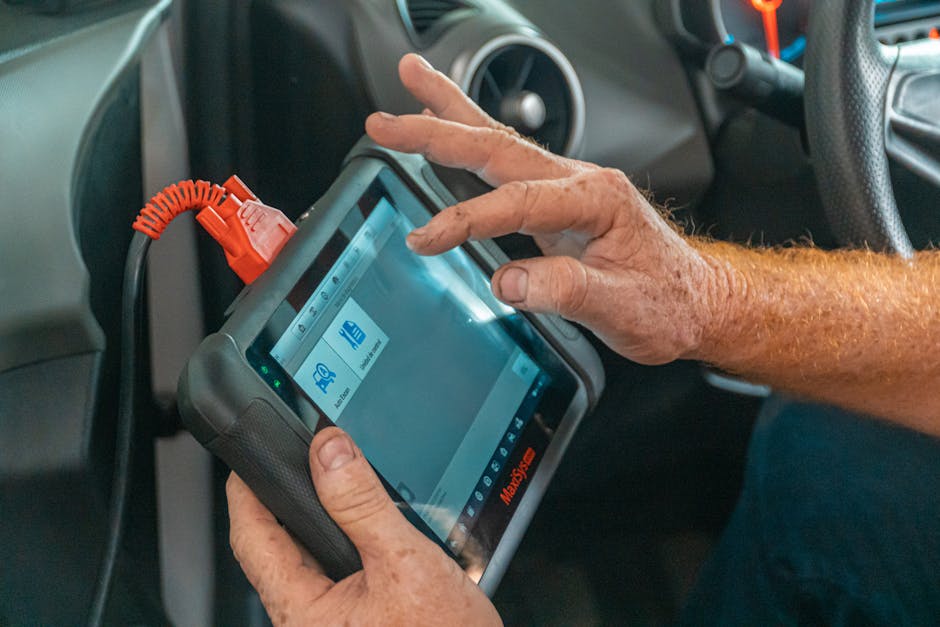
Photo by Jose Ricardo Barraza Morachis on Pexels
DIY Troubleshooting Before Calling a Technician
Many OKI printer issues resolve without technician intervention. Try these steps before opening a service ticket, which can save you $50–$150 in diagnostic fees.
"Printer Not Printing" Checklist
- Check physical connection: Verify the power cable is fully inserted and the printer display lights are on. If nothing lights up, test the wall outlet with another appliance (lamp, phone charger) to rule out a dead outlet.
- Clear paper jams: Open all paper trays and access panels. Look for torn paper fragments, dust, or debris lodged in rollers or sensors. Remove gently with tweezers; do not force or pull rollers.
- Check toner cartridge: Open the toner compartment and verify the cartridge is fully inserted, the protective tape has been removed (if new), and the green protective cap is not still in place. A depleted or absent cartridge will prevent printing.
- Verify paper supply: Check that the input tray has paper, the paper is not curled or damp, and the tray is fully inserted into the printer. OKI printers reject prints if they detect no available paper stock.
- Reset the printer: Turn off the printer via the power button, wait 30 seconds, then power it back on. This clears temporary error states and resets communication protocols.
- Check printer queue (for network printers): On your computer, open Settings > Devices > Printers & Scanners, find your OKI printer, and click it. Remove any paused or stalled print jobs. A stuck job prevents the printer from accepting new documents.
- Reinstall printer drivers: Download the latest drivers from the OKI support page for your model. Uninstall the current printer driver, restart your computer, then install the new driver. Outdated or corrupted drivers are a common cause of communication failures.
- Test USB vs. network: If your OKI printer supports both USB and network printing, try printing via USB cable to isolate whether the issue is network-related or printer-hardware related.
Print Quality Fixes You Can Attempt
If prints appear faded, streaky, or unevenly coloured, try these before booking a technician:
- Run the cleaning cycle: Most OKI printers have a built-in cleaning or maintenance mode accessible from the Settings or Maintenance menu on the display panel. This purges excess toner from the imaging drum and fuser. Let the cycle complete fully (typically 5–10 minutes).
- Check toner cartridge contacts: Remove the toner cartridge and inspect the metal contact points on both the cartridge and the printer slot. If they appear dusty or discoloured, gently wipe them with a lint-free cloth. Dirty contacts prevent proper toner delivery.
- Replace the cartridge: Even if the cartridge shows toner remaining, it may be depleted in one colour (on colour models) or simply past its effective life. Install a new genuine OKI cartridge and retry printing.
- Adjust print density settings: On the printer control panel or printer properties in your operating system, look for "Toner Density" or "Image Quality" settings. Increase the density by one or two notches and retest. This is especially effective for faded prints on older machines.
- Clean the output tray: Open the rear or side output tray and remove any toner dust, debris, or paper fragments. Toner buildup on output surfaces sometimes transfers back to incoming paper, causing streaks.
If cleaning and cartridge replacement do not resolve print quality, the fuser unit, imaging drum, or colour imaging unit (on colour models) likely needs professional replacement. Do not attempt to replace these yourself; they require technical knowledge to avoid permanent damage.
Warranty & Extended Support Options
New OKI printers in Australia come with a standard 12-month manufacturer warranty covering defects in parts and labour. Extended warranty plans and service contracts offer additional protection and can reduce the effective cost of repairs over time.
Standard Warranty Coverage
OKI's standard 12-month warranty covers manufacturing defects and component failure, excluding damage from misuse, accidental spills, or power surges. If your printer fails within 12 months due to a defect, OKI or an authorised service partner will repair or replace it at no cost. Wear items—toner cartridges, pickup rollers, fuser units—are typically not covered because they are consumables with a defined lifespan. To claim warranty, keep your purchase receipt and proof of registration.
Extended Warranty & Service Contracts
For an additional cost—typically 15–25% of the printer's purchase price—OKI and third-party insurers offer extended warranties (24–36 months total) and managed print service (MPS) contracts. An MPS contract typically includes parts and labour for any repair, supplies some consumables (cartridges, fuser kits), and provides scheduled preventive maintenance. For high-volume printers (printing more than 10,000 pages monthly), an MPS contract can cost-justify itself within 18 months by eliminating surprise repair bills and reducing downtime.
Compare the MPS contract against the likelihood of needing repairs. If your OKI printer is less than 3 years old and has printed fewer than 300,000 pages, the base warranty may be sufficient. If it's older or high-volume, extended coverage is prudent.
When to Repair vs. Replace an OKI Printer
The decision to repair or replace depends on printer age, repair cost relative to replacement cost, and expected remaining service life. Use this framework to decide:
- Repair is better if: Printer is less than 5 years old, repair cost is less than 40% of replacement cost, the printer is still receiving firmware updates and parts support, and you expect another 2+ years of service.
- Replace is better if: Printer is 6+ years old, repair cost exceeds 50% of replacement cost, it has needed multiple repairs in the past 12 months, or parts availability is uncertain due to model discontinuation.
- Consider mid-cycle leasing if: You prefer predictable costs, want to upgrade technology every 3 years, or need guaranteed uptime (since leases include repair coverage and loaner devices).
Total Cost of Ownership Calculation
To decide objectively, calculate the total cost of ownership (TCO) over a 3-year window. For a 3-year-old OKI printer facing a $500 fuser replacement:
- Repair path: $500 (fuser) + $0 (estimated other repairs in years 4–5, after replacement) = $500 total to extend 2 more years
- Replacement path: $2,500–$3,500 (new entry OKI printer) + $0 warranty = $2,500–$3,500 for guaranteed 3+ year service
- Leasing path: $80–$120/month × 36 months = $2,880–$4,320 including all repairs, maintenance, and supplies
In this scenario, repairing the existing printer saves $2,000–$3,000 if it remains reliable. However, if the printer has already required two repairs in the past 18 months, factor that pattern into your decision: the next failure may occur within weeks, not months.
Frequently Asked Questions: OKI Printer Repairs
My OKI printer isn't printing. What could be the problem?
The most common causes are a depleted or incorrectly installed toner cartridge, a paper jam, power disconnection, or a stalled print job in the computer's printer queue. Start by checking the toner cartridge is fully seated and the protective tape removed, clearing any visible paper jams, verifying the power cable is connected, and clearing stuck jobs from your computer's printer settings. If the printer has lights on and the display shows no error, try restarting both the printer and your computer, then resend the print job. If it still fails to print, check that the latest drivers are installed for your operating system.
Are Oki printers any good?
OKI printers are reliable business-grade devices known for durability and low cost per page, particularly in high-volume settings. Professional reviews and Australian repair technicians consistently note that OKI printers exceed 200,000 pages reliably when maintained properly. The trade-off is that OKI machines prioritise functionality and speed over aesthetic design and cutting-edge features compared to premium brands like Ricoh or Xerox. For cost-conscious offices printing 5,000–30,000 pages monthly, OKI represents excellent value.
Is it expensive to fix a printer?
Printer repair costs range from $50 for a diagnostic call to $500+ for major component replacement. Simple fixes like replacing a toner cartridge ($40–$120) or clearing a paper jam (free if you do it) cost little. Complex repairs involving the fuser, imaging drum, or mainboard replacement range from $200–$600. A single major repair on a 5+-year-old printer may cost 40–60% of purchasing a new entry-level device, making replacement economically sensible if the printer is nearing the end of its useful life.
Is OKI discontinued?
OKI has not ceased printer manufacturing. The company continues to design and sell new printer models in 2026, including the Pro8000 monochrome series and C911/C941 colour models. However, some older models from 2010–2018 have reached end-of-life status, meaning no new units are made, though spare parts remain available for 5–7 years post-discontinuation. To confirm your specific model is still supported, search the OKI Australia website or contact 1300 438 654.
How do I find an OKI printer repair service near me?
Use the official OKI Dealer Locator to find authorised service centres by state and suburb. Alternatively, search "OKI printer repairs [your city]" to find independent technicians offering same-day service. Authorised centres provide genuine parts and warranty backing; independent shops are often cheaper. Compare at least two quotes before booking.
What's the difference between on-site and depot repair?
On-site repair means a technician visits your office and repairs the printer in place, taking 2–4 hours and costing $80–$150 per hour plus parts. Depot repair requires you to drop off the printer or have it picked up, then it is repaired at a workshop and returned in 3–7 business days, typically costing 20–30% less. Choose on-site if downtime is costly; choose depot if you can operate without the printer for a week and want to save money.
Can I replace an OKI printer toner cartridge myself?
Yes, replacing a toner cartridge is one of the few repairs safe and simple to do yourself. Open the cartridge access panel (usually the front or side of the printer), grasp the cartridge by its handle, and pull it straight out. Before installing a new cartridge, remove the protective tape, check that any green plastic seals are removed, and slide the new cartridge straight in until it clicks. This takes 2 minutes and saves $30–$50 in labour. Do not attempt to refill cartridges unless you have experience, as spilled toner is difficult to clean and can damage the printer.
Key Takeaways: OKI Printer Repairs at a Glance
- Most common repairs involve toner cartridge replacement ($40–$120), fuser unit failure ($200–$500), or paper feed problems ($150–$300). These account for over 70% of service calls.
- DIY troubleshooting resolves 30–40% of reported faults. Clearing jams, reinitialising cartridges, and updating drivers often restore function without a technician.
- OKI remains operational in 2026. Older models are end-of-life but supported for 5–7 years post-discontinuation; current models receive full warranty and firmware support.
- Repair vs. replacement decision hinges on printer age, repair cost relative to replacement, and remaining expected lifespan. If repair costs exceed 40–50% of a new printer's price, replacement is often more economical.
- Service options range from authorised OKI centres (higher cost, genuine parts, warranty) to independent technicians (lower cost, variable quality). Compare quotes and check reviews.
- Extended warranties and managed print service contracts can be cost-effective for high-volume (10,000+ pages/month) or older printers prone to failure.
Start with the official OKI Dealer Locator to find authorised partners near you. If cost is a priority, contact 2–3 independent shops for quotes. Always verify the technician will use OKI-approved parts and ask about labour warranty on repairs performed.
Author: PLS Printer Editorial Team | Last updated: 15 September 2026